
You can do everything right on your resume, including having strong work experience, relevant skills, tailored keywords, and still get rejected because of one surprisingly small decision: the file format.
PDF or Word. It feels like a minor detail until it isn’t. Here’s a spoiler alert: as a general rule, it’s best to send your resume as a PDF.
Although it is best practice to default to PDF, it’s also important to always check the job posting. Employers often state how to send your resume, and following their instructions matters:
- If the employer specifies a format, follow it.
- If no format is mentioned, send a PDF to preserve your layout.
- Use Word when uploading to an ATS or when a recruiter asks for an editable file.
It is important to make the best possible first impression when you send your resume. Also, as job-finding experts will attest, PDFs simply look more professional and are less problematic to upload.
Your overall goal is to make it easy for both software and humans to read your resume without distractions or formatting issues.
Using a resume builder is an effective way of creating attractive resumes, whether you use a .pdf or .doc resume format. There are numerous resume templates to choose from, and they save you valuable time.
How Do You Make a PDF Resume?
Creating a PDF resume is quick and straightforward, no matter which tool you use.
Create a PDF Resume from an Existing File
- In Microsoft Word: File → Save As or Export → PDF
- In Google Docs: File → Download → PDF
- In Apple Pages (Mac): File → Export To → PDF
Create a PDF Resume with Our AI Resume Builder
You can also create a PDF resume from scratch or instantly improve your existing resume using our AI resume builder.
Choose from a wide range of professionally designed templates, including:
- Student resumes
- Entry-level resumes
- Professional and industry-specific resumes
How To Send Your Resume
How you are requested to send your resume could decide the format you should use. Here is a quick table explaining the different ways of submitting a resume, and the best format to use:
| How you’re applying | Best format | Why it works |
|---|---|---|
| ATS / online application portal | Word or simple PDF | Word files and clean PDFs are easier for ATS software to parse. Avoid complex layouts, tables, or text boxes. |
| Emailing a hiring manager | A PDF preserves your formatting and looks professional on any device. | |
| LinkedIn Easy Apply | PDF or Word | Use the format requested. If both are accepted, Word may perform better with automated screening, while PDF keeps design intact. |
| Applying through a recruiter | Word | Recruiters often need an editable file to adjust formatting or remove contact details before sharing. |
| No format specified | As a general rule, a PDF resume avoids formatting issues and ensures a consistent presentation. |
Advantages of Sending a PDF Resume
Should I send my resume as a PDF? The answer is “it depends”.
One of the main advantages of sending your resume as a PDF is that it preserves your formatting.
- Consistent layout: Your resume looks the same on all devices
- No formatting issues: Margins, spacing, and page breaks stay intact
- Font consistency: Avoids substitutions caused by missing fonts or software versions
- No accidental edits
- Professional appearance
The formatting of Word documents can change depending on the software or version used. This can lead to shifted margins and unexpected page breaks. This can make an otherwise polished resume look messy.
If you’ve spent valuable time working on your resume, focusing on the resume format and layout, it would be tragic for an employer to open a messy resume* instead of your well-produced resume. It gives entirely the wrong impression.
Why Some Recruiters Prefer Word Resumes
Recruitment companies sometimes prefer Word resumes as they can be edited. As they don’t want the employer to contact you until they have secured the contract, they remove your contact information and add their logo before sharing your resume.
They may also tidy up your resume by correcting mistakes, adding keywords for ATS compatibility, and adjusting layouts for internal systems. If you’ve carefully written your resume, this shouldn’t be necessary.
Make sure you avoid the most common resume mistakes and read these tips for writing a winning resume. Even one small typo could mean your resume is thrown out by hiring managers.
ATS (Automatic Tracking Systems)
An ATS is a type of software that scans resumes to make sure they contain enough keywords. In the past, ATSs struggled to read PDF resumes.
However, ATSs have improved a lot over the last 5 years and more advanced versions of the software can read PDFs. More importantly, recruitment giants like Deloitte also surveyed employers and found nearly 56% of them were looking to use more digital tools such as this.
When a resume is written clearly and properly, then PDFs are no problem. Read this guide on writing a resume for applicant tracking systems to avoid the most common pitfalls. If an employer is using older, more basic software, they will specify in the job posting that you should send your resume as a Word file.
PDF vs Word
Understanding the key differences between PDF and Word formats can help you decide which is best for your resume.
PDF 📋
Preserves formatting: Ensures the resume looks the same on any device, regardless of operating system or screen size.
Professional appearance: Generally looks more polished and professional, giving a good first impression.
Security: Less prone to accidental edits.
Less common issues: Fewer issues with margins, fonts, and overall formatting.
Word 📄
Editable: Allowing recruiters to make changes such as adding logos.
ATS compatibility: More consistently compatible with Applicant Tracking Systems (ATS).
File compatibility: Accessible for most recruiters and hiring managers.
Employer instructions: If the job posting specifies Word format, it is crucial to follow these instructions.
-
💡 Our expert’s advice

ATS has come a long way, and most are advanced enough to easily parse content from Word and PDF documents. If jobseekers choose to upload a Word document, it is recommended that they avoid text boxes. ATS has a hard time reading content in text boxes.
I recommend always uploading a PDF version to keep the formatting intact since many people have different versions of Word.
Chelsea Jay, Certified Resume Writer (NCRW)
Final Thoughts on Resume Formats
Resume formats can significantly impact how it’s received and processed by employers. Ultimately, the choice between sending your resume in a PDF or Word document depends on the specific job application requirements and your personal preference.
Before You Submit Your Resume
No matter which format you ultimately choose, you want to make sure to always double-check the basics:
- Professional file name (e.g. FirstName_LastName_Resume.pdf)
- Opens correctly on both desktop and mobile devices
- Text is selectable and searchable (not an image or scanned file)
- No tables or text boxes to ensure ATS compatibility
- Contact details are visible in the main body of the resume
- File size stays within common limits (ideally under 2 MB)
Make sure you understand how to write a resume, and remember to include a cover letter if required.
FAQs
Generally, it’s best to send your resume as a PDF. However, it’s important to consider the context. PDFs preserve formatting across devices, ensuring your resume looks professional and consistent. They are also secure and less prone to accidental edits.
However, Word documents are easier to edit and are often more compatible with Applicant Tracking Systems (ATS). Ultimately, follow the employer’s instructions in the job posting when deciding between PDF or Word for your resume. If no preference is stated, PDFs are generally the safer choice for maintaining your resume’s integrity
Recruiters sometimes prefer resumes in Word format because they can be easier to work with:
- Editable: allows changes such as formatting updates or adding logos
- ATS-friendly: information is easier for tracking systems to parse
- Widely compatible: opens smoothly across different devices and software
Others prefer to receive PDFs. If you have any doubts, don’t be afraid to ask which they would prefer.
Modern Applicant Tracking Systems (ATS) can generally read both Word and PDF resumes effectively. However, Word documents tend to be more consistently ATS-friendly because they are easier for the software to parse and extract information from.
PDFs, while preserving formatting and design, can sometimes pose issues with older or less advanced ATS software.
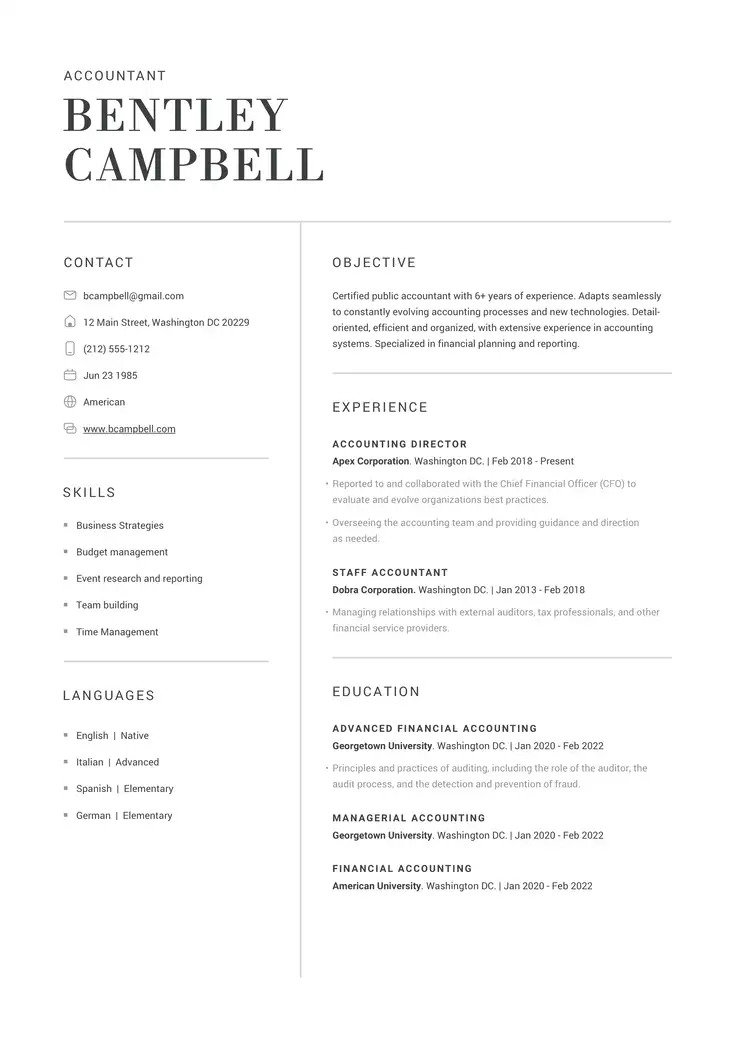
Struggling with Resume Writing?
Ease the process with our templates
Related Posts